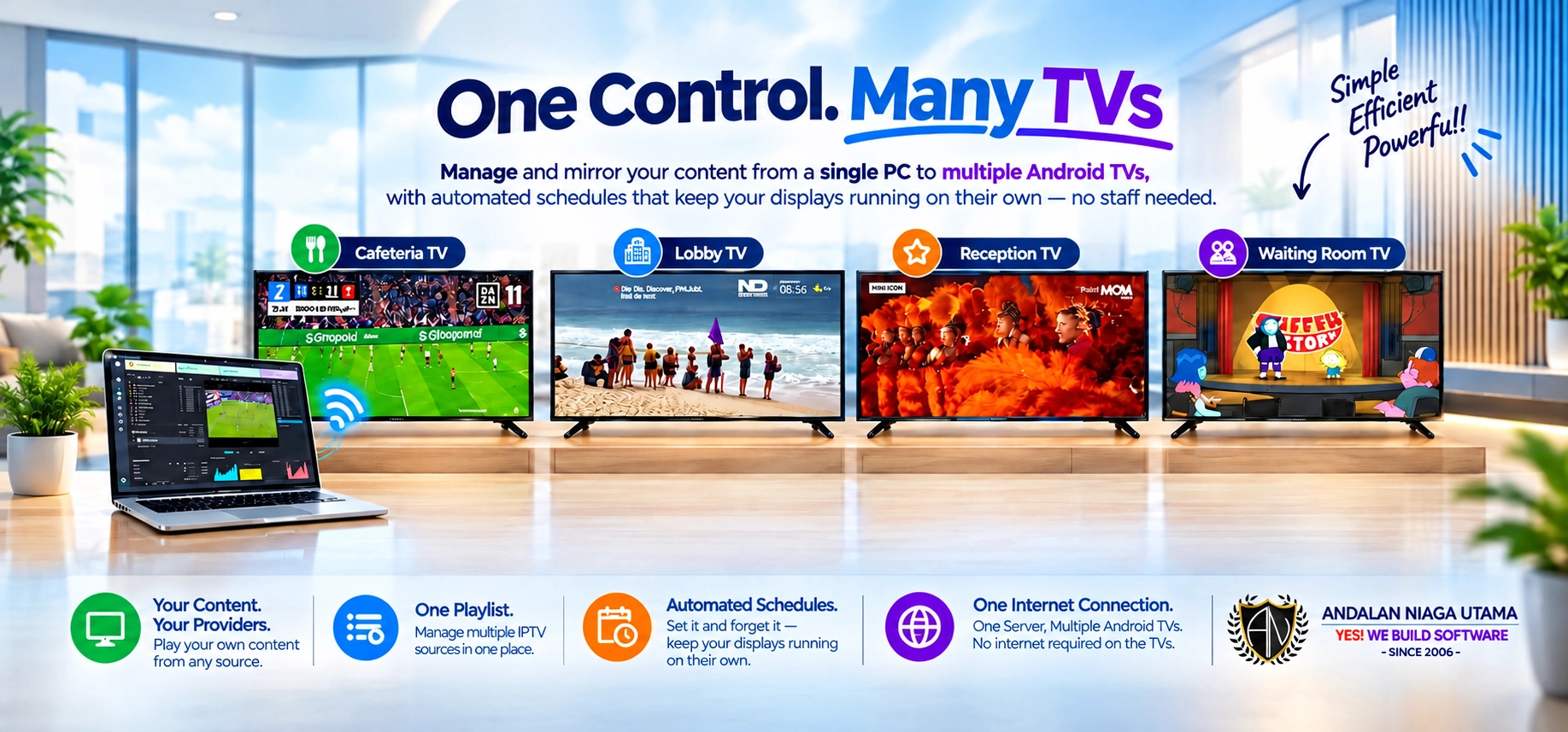
MV2TV Server is not an IPTV channel provider. We do not sell channel packages or provide IPTV subscriptions — it is the software platform that plays and distributes content from sources you already have access to.
Use your own:
You choose the sources. You control the content. MV2TV Server handles the playback and mirror.
Build a centralized playlist by combining content from multiple IPTV vendors, local VOD, and media files into one environment. Organize your own custom channel lineup with total freedom, without being tied to a single provider.
Your Android TVs do not require individual or separate internet connections to operate. MV2TV Server leverages your existing local network infrastructure to distribute high-quality playback from a single central PC directly to multiple Android TVs across your venue.
MV2TV Server handles all the heavy lifting of processing and playback, while your local network efficiently delivers the mirrored media to every screen simultaneously.
When using a single IPTV source, connect that source to MV2TV Server once and mirror its playback across multiple Android TVs.
Instead of requiring every TV to independently connect to the same provider, MV2TV Server provides a centralized playback and distribution point.
One source. Many screens. One control point.
For environments using multiple providers, MV2TV Server can manage multiple IPTV sources within the same system.
Need more than one IPTV source? No problem.
For example:
Different sources can be brought together into one centralized MV2TV environment.
Your providers remain your providers. MV2TV Server simply gives you one powerful place to play and manage them.
Set your daily timetable just once and let MV2TV Server manage your venue's playback entirely on autopilot. Channel rotations, scheduled programming, advertising slots, local videos, and live IPTV feeds all run smoothly according to your custom schedule—eliminating the need for constant supervision or dedicated staff to operate the screens.
Scale effortlessly from 3 Android TVs on our Starter plan up to 50 screens on Ultimate, managing all your venue displays from a single central system. Your chosen package determines your maximum mirrored screens—giving you more displays powered by one unified control hub, perfectly built for cafes, clinics, halls, salons, and any commercial space where your screens simply have to keep running.
Control your screens from a single PC.
Load your sources, organize playlists, select channels, manage schedules, and control mirrored playback without having to operate each Android TV individually.
MV2TV Server turns multiple Android TVs into one centrally managed display system.
You don't need another channel package. You don't need a separate player for every TV. You don't need to manage every screen individually.
Bring the content and IPTV sources you already use. MV2TV Server gives you the tools to play, organize, schedule, and mirror them across your Android TVs.
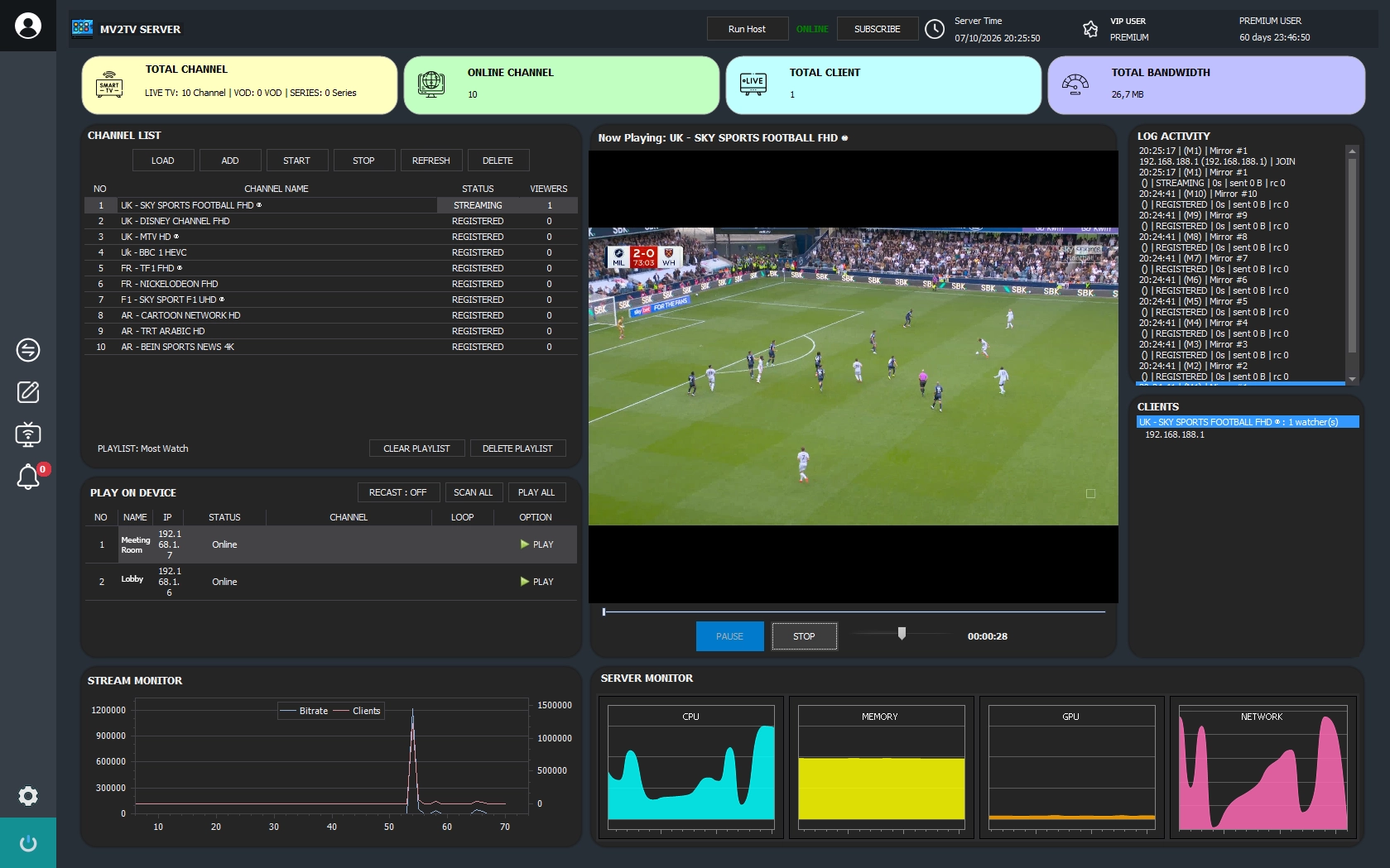
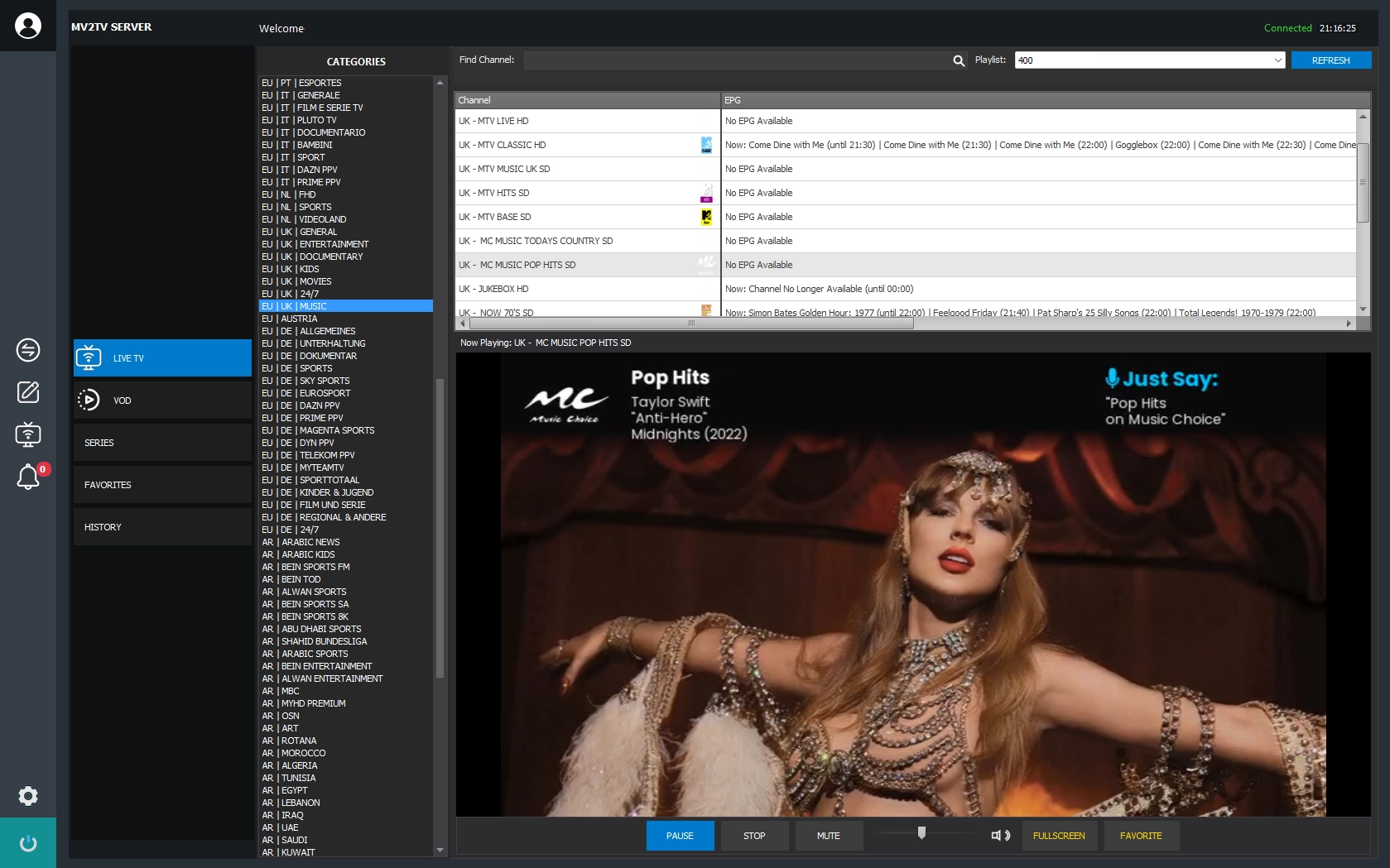
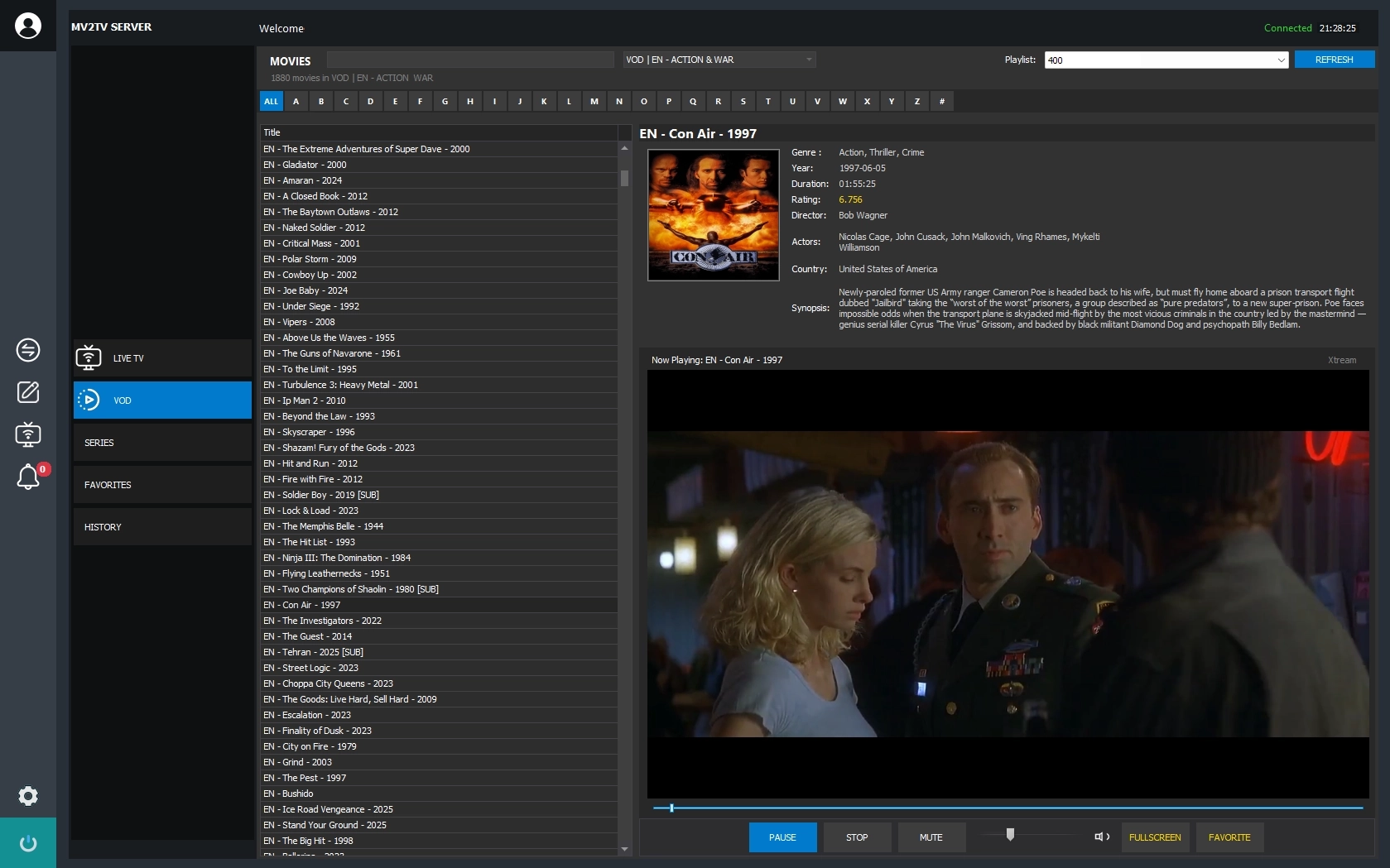
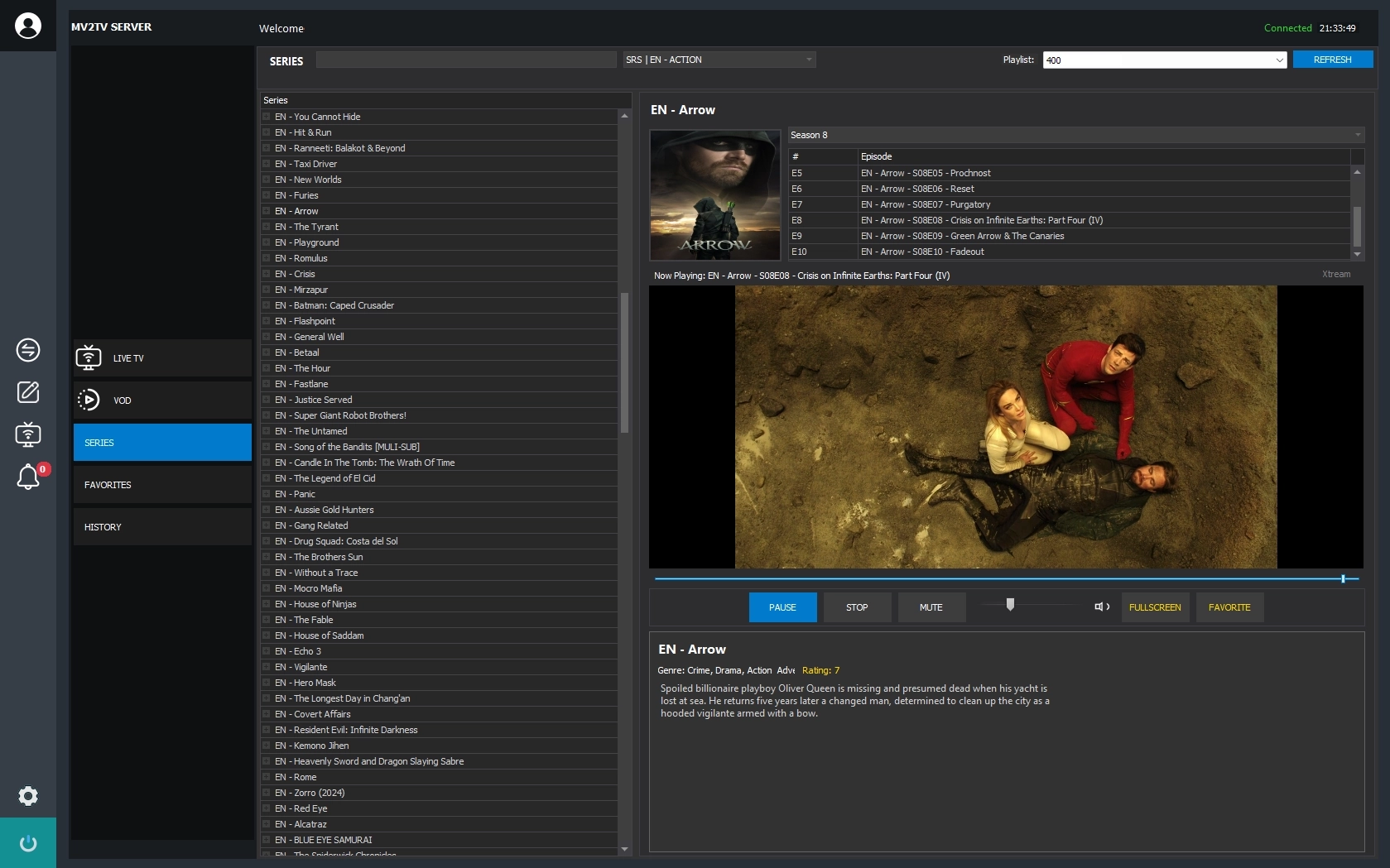
From a fresh install to a venue full of screens — four steps and you are live.

Plans scale with the number of screens in your venue — from a 3-TV starter to 50 mirrors, billed monthly.
We got you coverd, check those faq if its not there just ask us.
MV2TV Server is a paid service for business and commercial use. You can try the full app free for 3 hours, then choose a monthly plan based on how many screens your venue has.
Open the app and tap the WhatsApp Support button to reach our team directly. We usually reply within 1x24 hours.
The app checks for updates automatically every time it starts and lets you know when a new version is ready to install.
Yes. Higher plans support more screens and are billed monthly - see the Plans section above. Every plan includes the same core features: Xtream Code, Stalker, M3U playlists and local video.
A quick-start guide is included with the app, and our support team is happy to walk you through any setup step you need.
Yes, we do custom development. Send us your requirements through the WhatsApp Support button and we will get back to you with a plan.
Working contact form along send mail feature with contact form validation